Language, appearance and phone
WhereSidebar › your name › Appearance, Language
The account menu
Your name sits at the bottom left of the sidebar. One click opens the account menu with User settings, Appearance, Language, the way to help and Sign out.
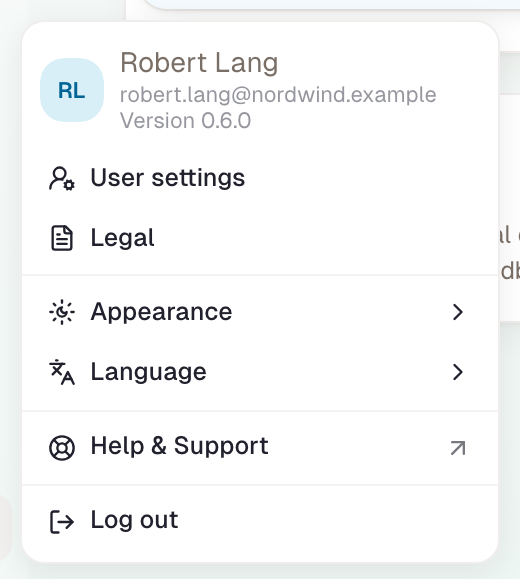
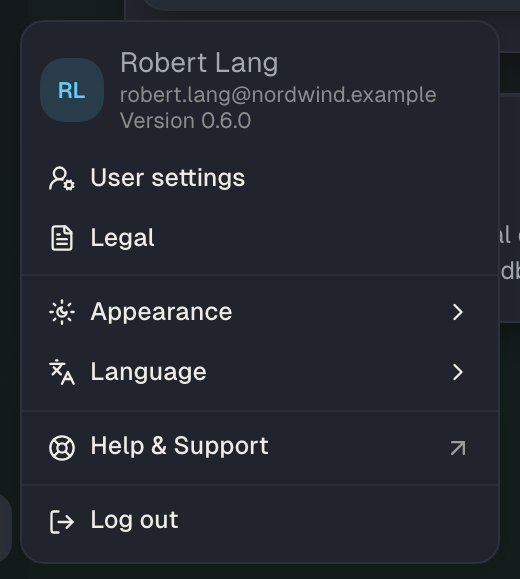
Change the language
- Choose your name at the bottom left.
- Under Language, choose Deutsch or English.
The page reloads in the new language. The language is part of the address: German pages start with /de/, English ones with /en/. So you can pass on a link in a specific language. Labels in the interface switch along; content such as skills and profiles carries both languages, as far as its owner maintained both.
When signed out, the globe sits at the top right.


Change the appearance
Under Appearance, choose Light or Dark. There is no mode that follows the operating system. In a new browser, Skillties is dark. The choice lives in the browser, not in the account: another browser or device starts dark again.
When signed out, sun or moon sits at the top right.
What is stored where
| Setting | Applies to | Default | Stored in |
|---|---|---|---|
| Interface language | this browser and the address | English | address and browser |
| Appearance | this browser | Dark | browser |
| Email language | your account | English, later the language you last used | account |
Emails from Skillties, such as invitations or notifications, come in the language you last used in the app. If you've never signed in, in English.
What the language changes and what it doesn’t
The language switches every label, menu, note and email. Content only switches as far as it is maintained in both languages: a skill or profile has a German and an English name and a description in both languages, maintained by its owner. If the English version is missing, Skillties shows the German one, even in English. Your own ratings, your profiles and your match don’t change with the language. Dates follow the language: “20.10.2026” in German, “20/10/2026” in English.
If you work in a workspace with colleagues in both languages, everyone sees the same content, each person in their own language. Comments and names stay as they were written.
On a phone
Skillties runs in the phone's browser and is built for it: the sidebar becomes a bar at the bottom, menus open from below, lists can be swiped. You can place Skillties on the home screen like an app:
| Device | How |
|---|---|
| iPhone, Safari | the share icon, then “Add to Home Screen” |
| Android, Chrome | the three-dot menu, then “Install app” or “Add to Home screen” |
Skillties then opens without the browser bar. You choose language and appearance there as described, in the account menu.
Checked with version 0.6.0 · 20 Oct 2026