The role model
WhereWorkspace settings › Roles & rightsRightsettings.roles
What a role is
A role is a named list of rights. A right allows exactly one thing, such as “Open People” or “Open settings · Groups”. Rights are never tied to people, always to roles. Whoever should be allowed something gets a role that allows it.
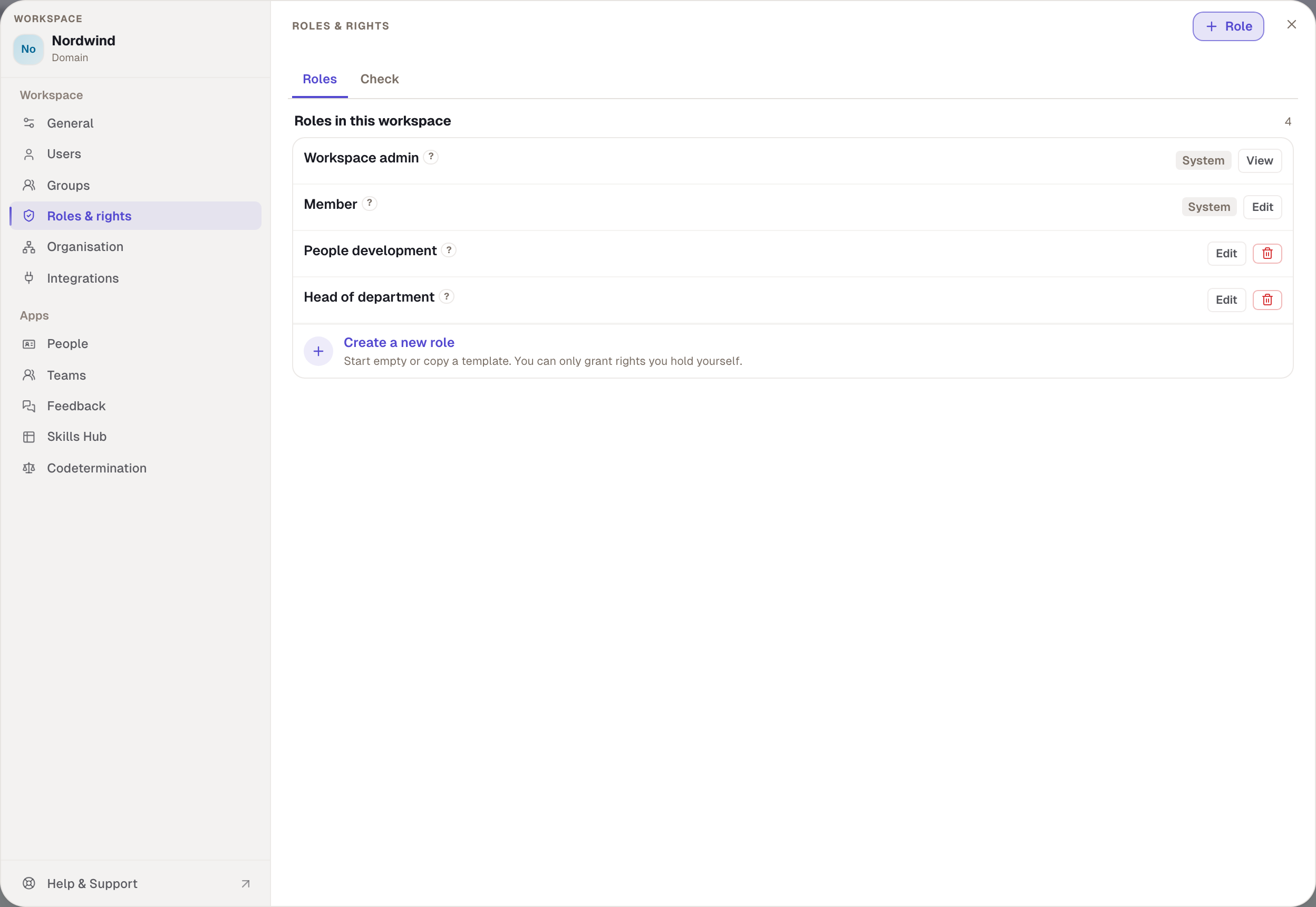
Two roles are built in
Everyone in the workspace holds Member, always. That's why its box says “everyone has this”. Its rights are a starting point, not a minimum: you can untick any right that goes too far for everyone, or add what everyone should have. By default a member may:
- open People and see everyone's skills and levels,
- choose their own main, secondary and target profile,
- create private and public skills and profiles and be added as a moderator,
- join discussions, see teams and see the skills of their own team,
- use the library and the account as usual.
The Skills Hub isn't included. It comes through the template or a custom role.
Workspace admin holds every right, and they can't be changed. Its box says “admin role, fixed”. One right is left out on purpose: approving codetermination requests. That way nobody decides on their own requests. Every admin can appoint further admins; other roles can't. The last admin can't be unticked, disabled or deleted; the box says “last admin”.
The People development template
People development is ready to use but not a system role: you can rename, change and delete it. Deleted, it stays gone. It may use and export the Skills Hub, set other people's profiles, categorise skills and profiles, manage all teams, give lead assessments and open the settings for Users, Groups, People and Feedback. It may not change roles, anything in codetermination or anything under General.
Custom roles
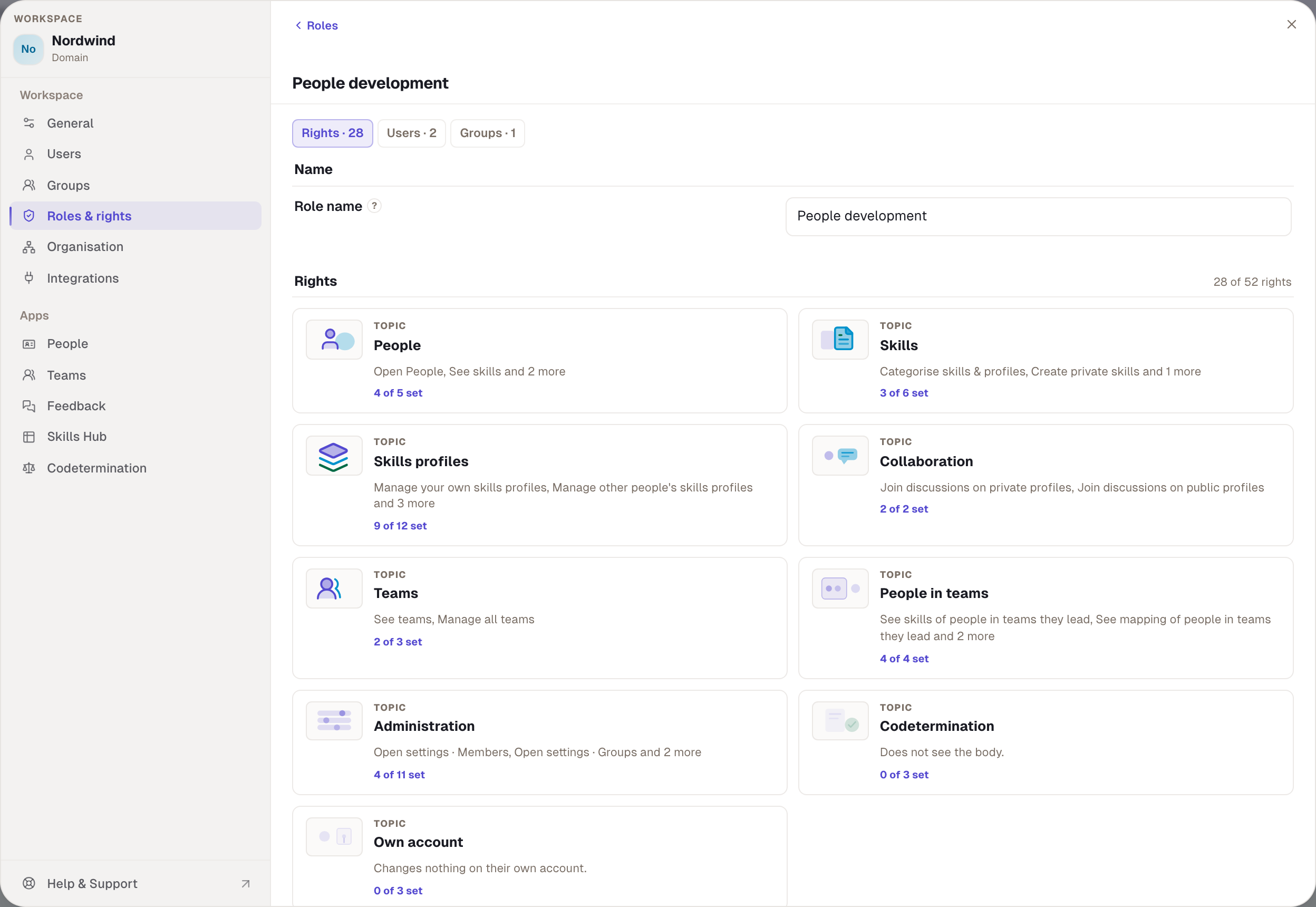
Role at the top right or Create a new role at the bottom creates a role without rights, named “New role”. You enter a name under Role name, tick rights and choose Save role. Rights are grouped by area: People, Skills, Skills profiles, Collaboration, Teams, People in teams, Feedback, Administration, Codetermination and Own account.
Two rules apply when ticking:
- You can only grant rights you hold yourself. Otherwise the box says “You do not hold this right”.
- A right that codetermination lists as subject to approval becomes a request: the button then reads Submit for approval, and you give a reason. Removing a right applies at once.
Inside a role you switch at the top between Rights, Users and Groups. Under Users you see who holds the role directly, and assign it with Assign role or take it away with Remove role. Under Groups you see which groups carry the role. Deleting a role applies at once and without a request.
Rights add up
What a person may do is the sum of:
| Source | Example at Nordwind | Who changes it |
|---|---|---|
| Member role | everyone | an admin, for everyone at once |
| Workspace admin role | Robert Lang | any admin |
| roles given directly | Ben Carter holds “IT administration” | whoever holds settings.roles |
| roles of all the person's groups | Max Wagner holds Head of department through the Leadership group | whoever maintains the group |
| seat on the body | works council members | the body itself |
There are no denials. No role can take away what another allows. If a role comes through a group, its box on the person is locked with the note “from group …”. Remove the person from the group and the role is gone. A role applies until you remove it. There is no expiry date.
For viewing rights, the widest level wins: if someone holds “See the skills of direct reports” from one role and “See the skills of everyone in the workspace” from another, they see everyone.
Check: why may someone do something?
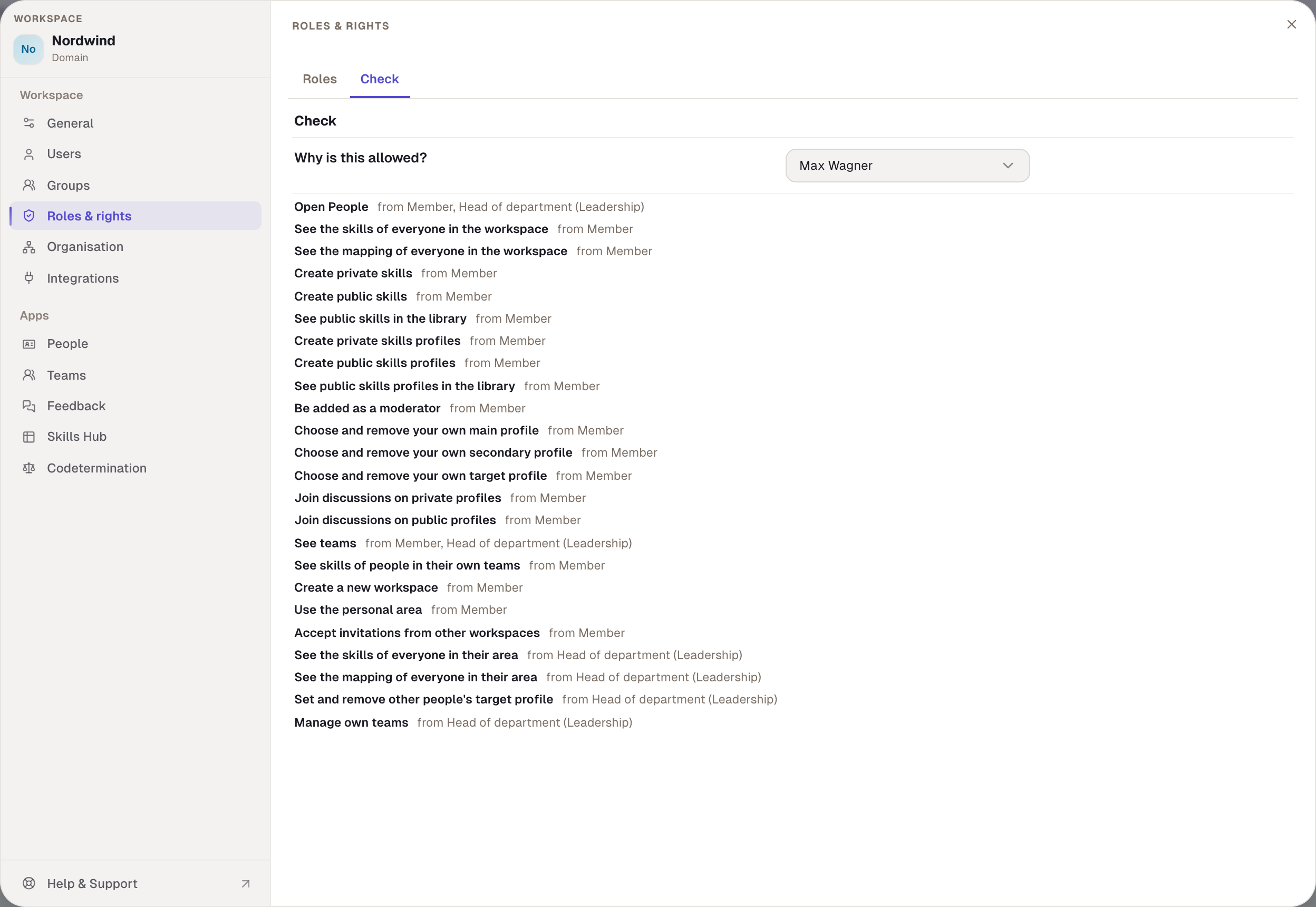
On the Check tab, choose a person under “Why is this allowed?”. Below, every right of that person appears with “from …” and the role it comes from. If the role comes through a group, the group follows in brackets. That way you clear up in seconds why someone sees the Skills Hub, or why not.
Plans and rights
Roles are available from the Business plan. On Free the area is visible but can't be used. The system roles still apply: whoever created the workspace is its admin but can't appoint anyone else on Free. Without settings.roles the area is missing from the settings window.
Example
Nordwind wants managers to see the skills of their area but not change any settings. Robert creates the Head of department role with “Open People”, “See the skills of everyone in their area”, “See the mapping of everyone in their area”, “Set and remove other people's target profile”, “See teams” and “Manage own teams”. Then he attaches it to the Leadership group. Max, Tom and Clara hold the role at once, without Robert giving it one by one. Under Check, Max shows “from Head of department (Leadership)”.
Checked with version 0.6.0 · 20 Oct 2026