Groups as distributors
WhereWorkspace settings › GroupsRightsettings.groups
What groups are for
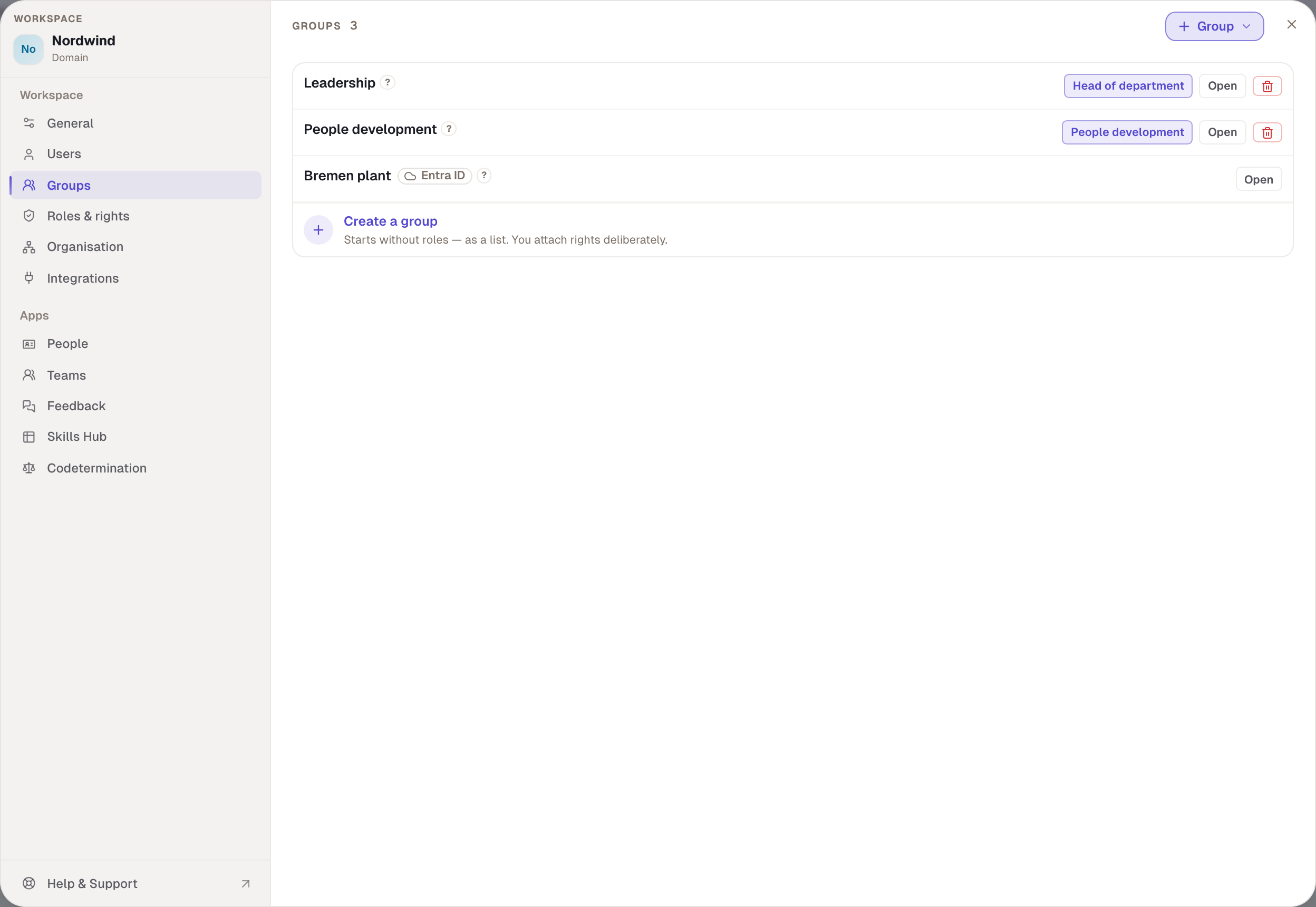
Instead of giving twenty people the same role one by one, you attach the role to a group. Whoever joins the group holds the role. Whoever leaves loses it. When a new manager arrives, you put them in the Leadership group and you're done. A group isn't a department or a team: it says nothing about who works with whom, only who carries which roles.
A group can never give more than its roles. Its rights are the sum of its roles' rights, and they add to what the person has anyway. A group can't take anything away.
Which roles can be attached to groups
Workspace admin and Member can't be attached to groups: everyone holds Member anyway, and only admins give Admin, one person at a time. The People development template and all custom roles can be attached. The Works council role is staffed by the body itself.
Create and staff a group
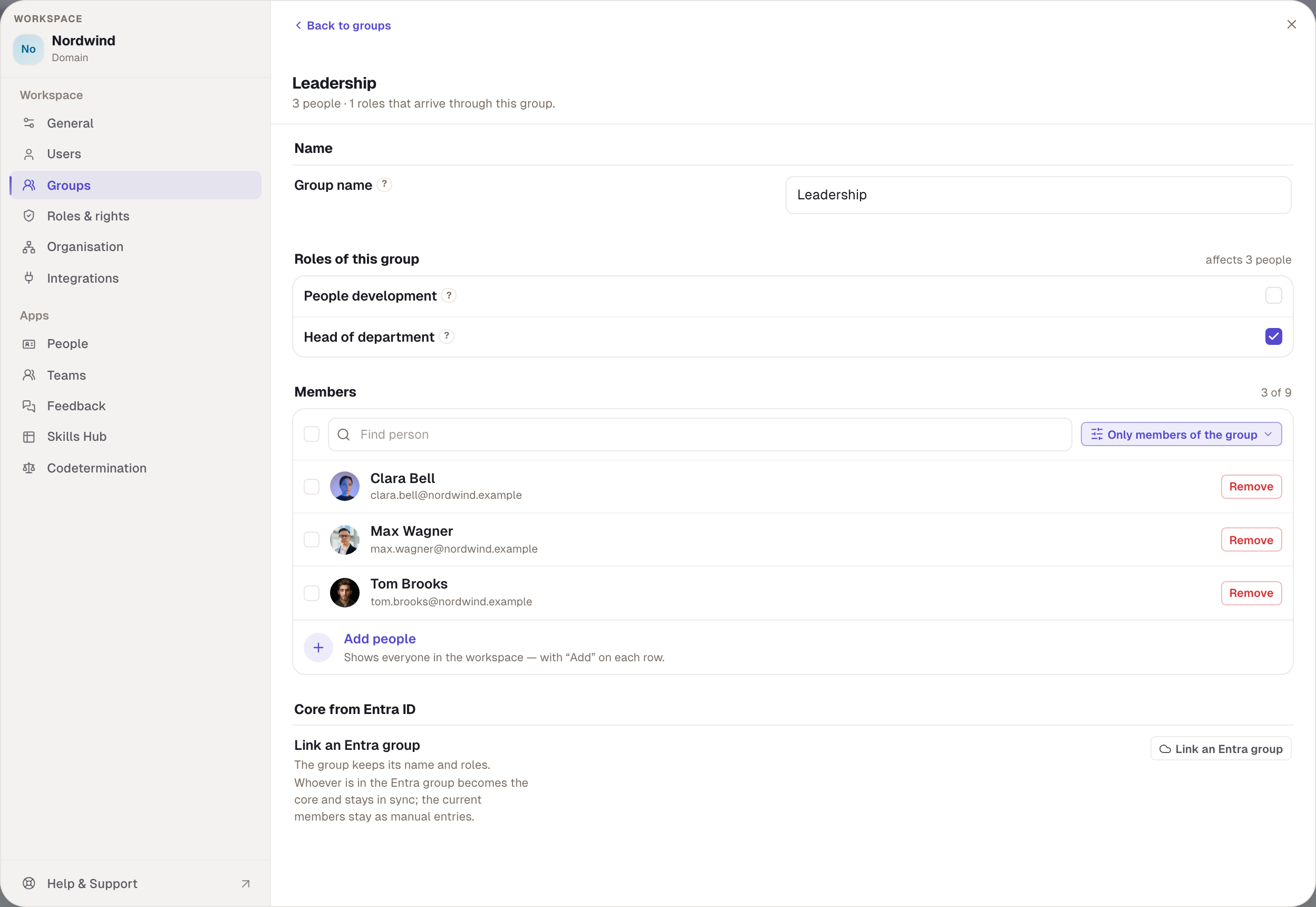
- Under Groups, choose Group and Empty group. For the first group the button reads Create the first group.
- Enter a name under Group name, up to 60 characters.
- Under Roles of this group, tick a role. A dialog shows who gains which rights as a result. Confirm with Attach role. The role applies to current and all future members.
- Under Members, choose Add people. The list shows every workspace member with Add on each row. Select several and Add to group and Remove from group become available.
Membership changes save at once, which is why there is no save button. The Only members of the group filter shows who is in. A new group appears in the list as “no roles — a plain list” until you attach a role.
Who may change a group
| What you want to do | What you need |
|---|---|
| see and create groups | settings.groups |
| attach a role | additionally settings.roles and all the role's rights yourself |
| change the members | all the rights the group carries yourself |
If a group carries rights you don't hold, it shows You lack rights and you can't change its members. That prevents anyone giving themselves more rights through a group than they have. If you lack Roles & rights, the box says “Requires “Roles & rights””.
Groups and roles on the person
For a person who holds a role through a group, the role's box is locked and names the group: “from group Leadership”. The role can't be removed there, only through the group. In the list under Users, groups appear as grey badges and roles from groups as the role with the group behind it.
Groups from Entra ID
With Group › From Entra group you take over a group from Microsoft Entra ID. The entry only appears if Entra is connected and you hold settings.identity. You pick the Entra group, decide with Also bring this group’s people into the workspace whether it supplies members as well, and choose Create. You link an existing group with Link an Entra group; its members then remain as manual entries.
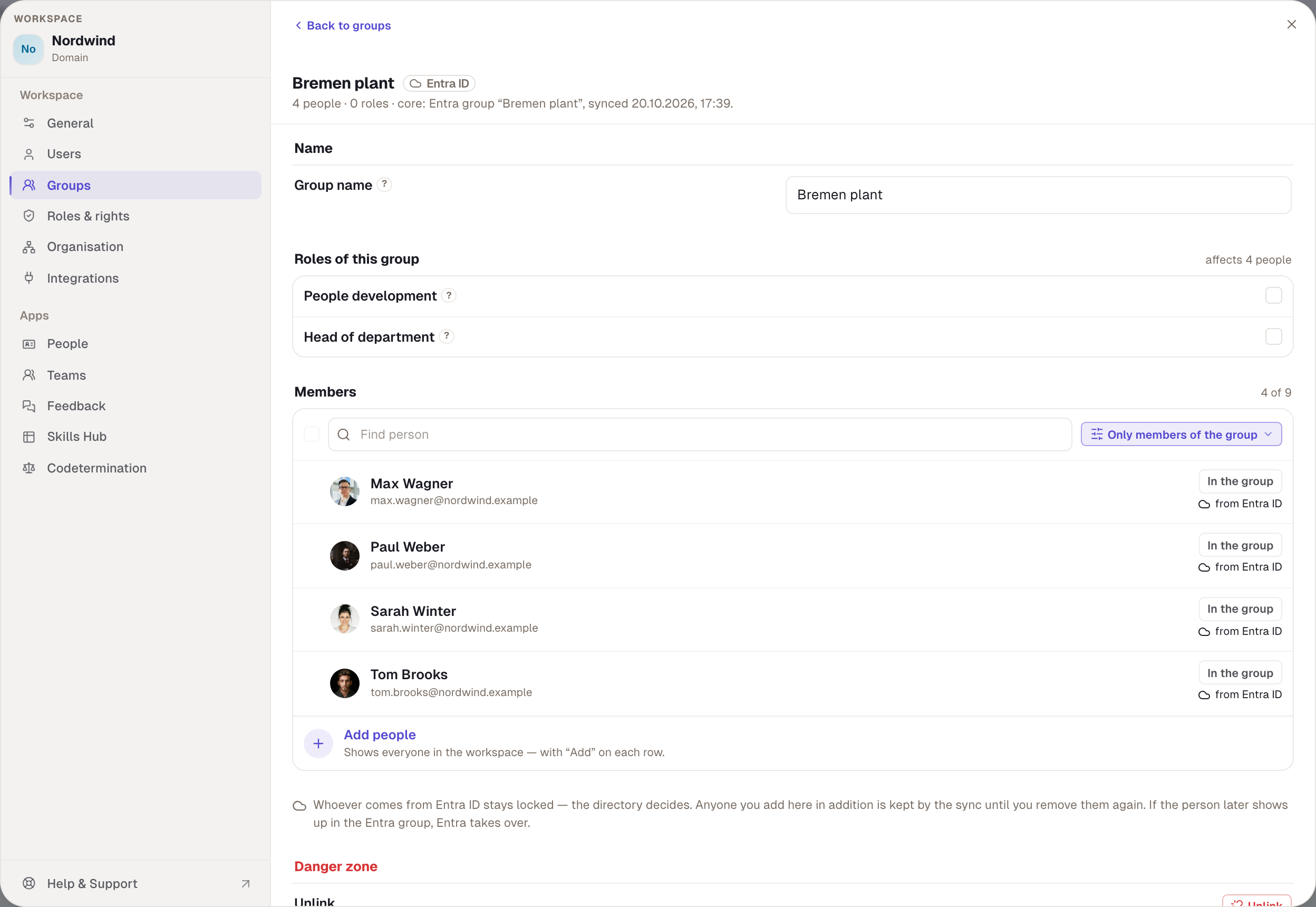
An Entra group carries the Entra ID badge. In the member list, each person shows from Entra ID or by hand. People from Entra are locked, because the directory decides. People added by hand stay until you remove them. If such a person later appears in the Entra group, Entra takes over. Unlink under Danger zone turns the group back into a manual group; the members remain. With codetermination, linking may need approval; it then says “Submitted for approval”.
Example
Nordwind has the People development group with the People development role and the Leadership group with the custom role Head of department. Julia is in the first, Max in the second. “Bremen plant” comes from Entra ID and carries no role; Robert uses it as a filter under Users and for teams. When Tom is promoted, Robert puts him in Leadership. From then on Tom sees the skills of his area. Robert himself could change the members of Leadership even if he weren't an admin, as long as he holds all of Head of department's rights himself.
Checked with version 0.6.0 · 20 Oct 2026